


Download & Install Add-ins
Install iThesis NexGen
Available versions:
- Microsoft 365
- Office 2019 (Retail Version)
- Office 2021
- Office 2021 LTSC
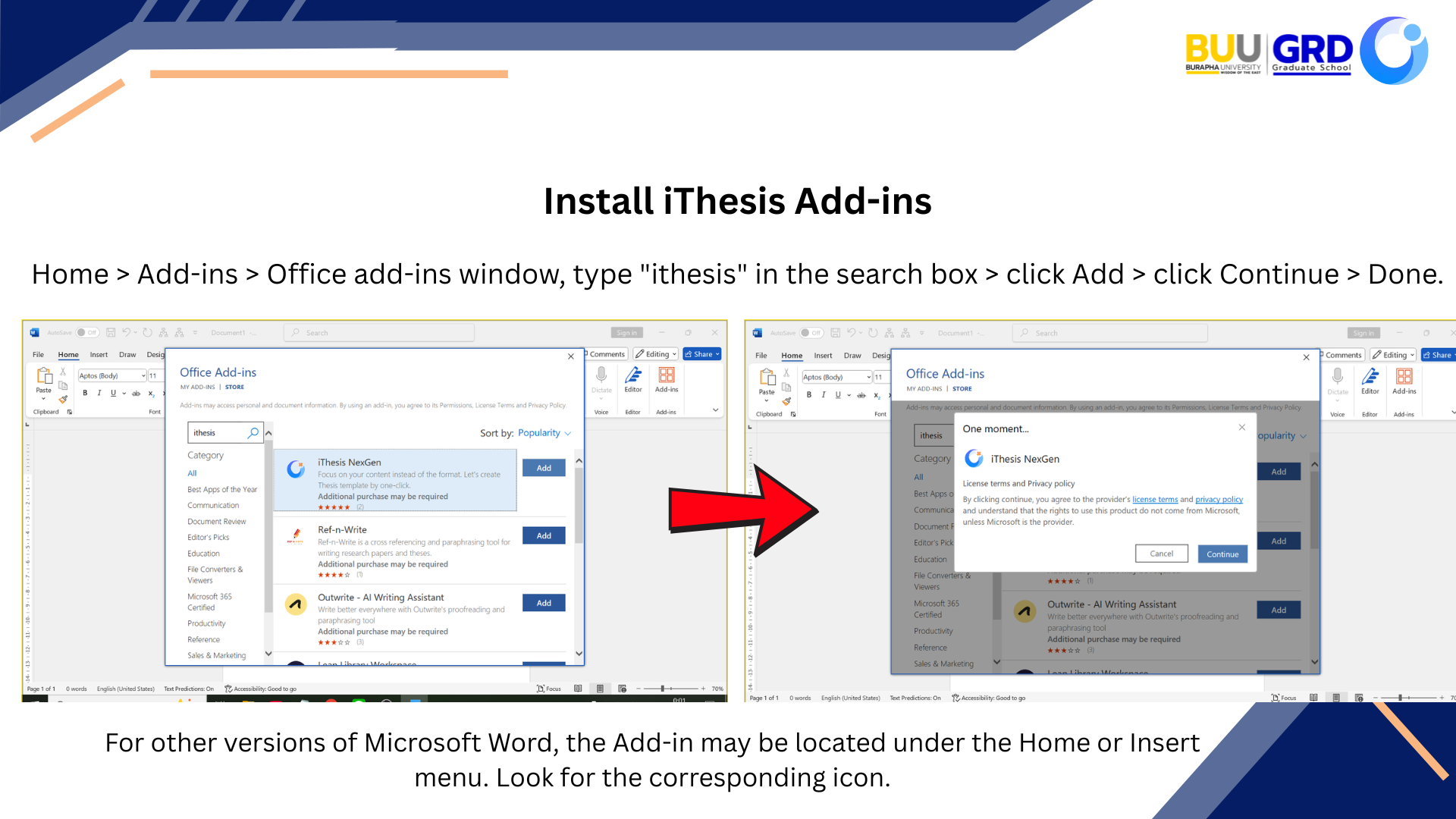
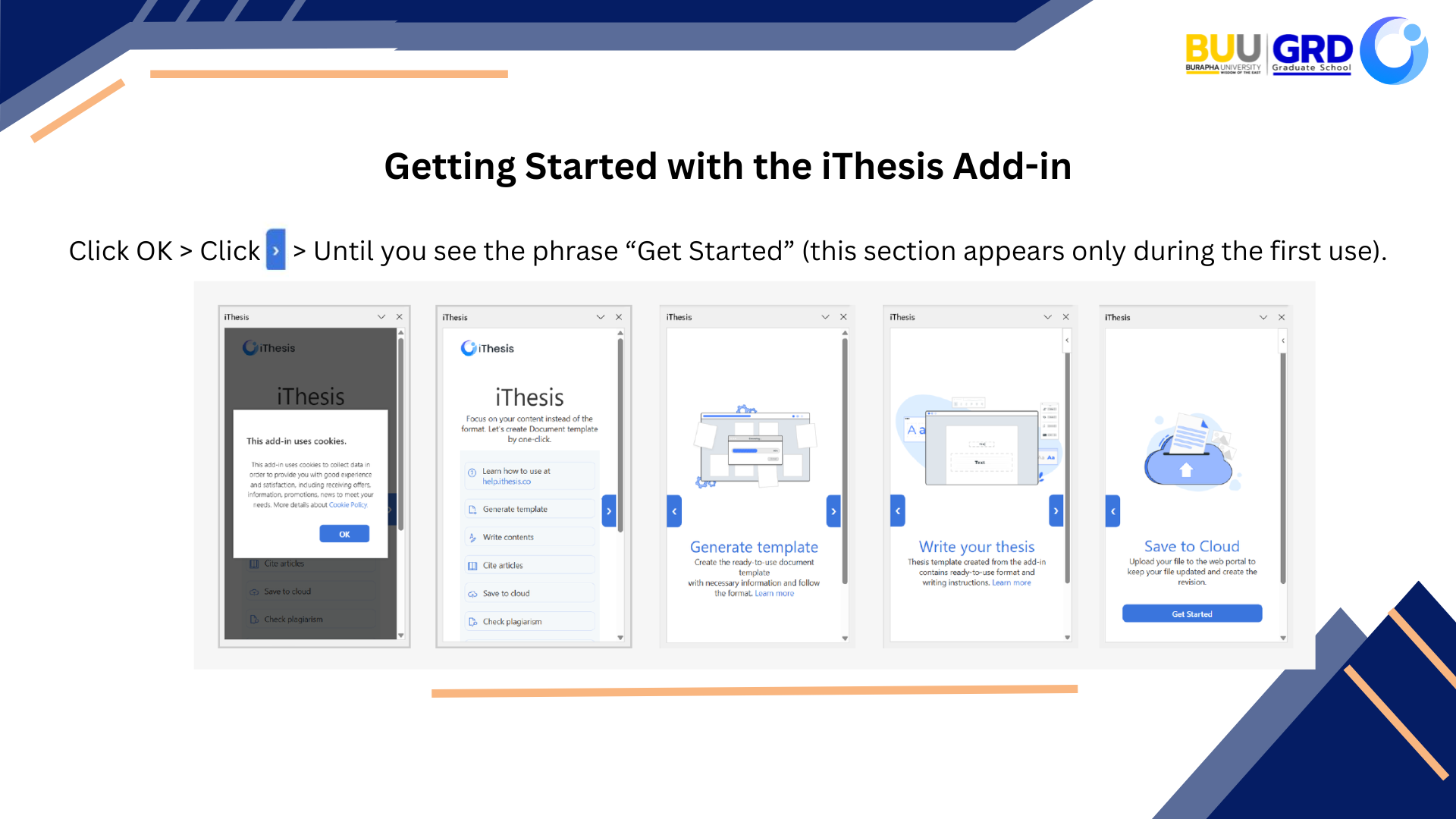
Install iThesis Version 1.4.0
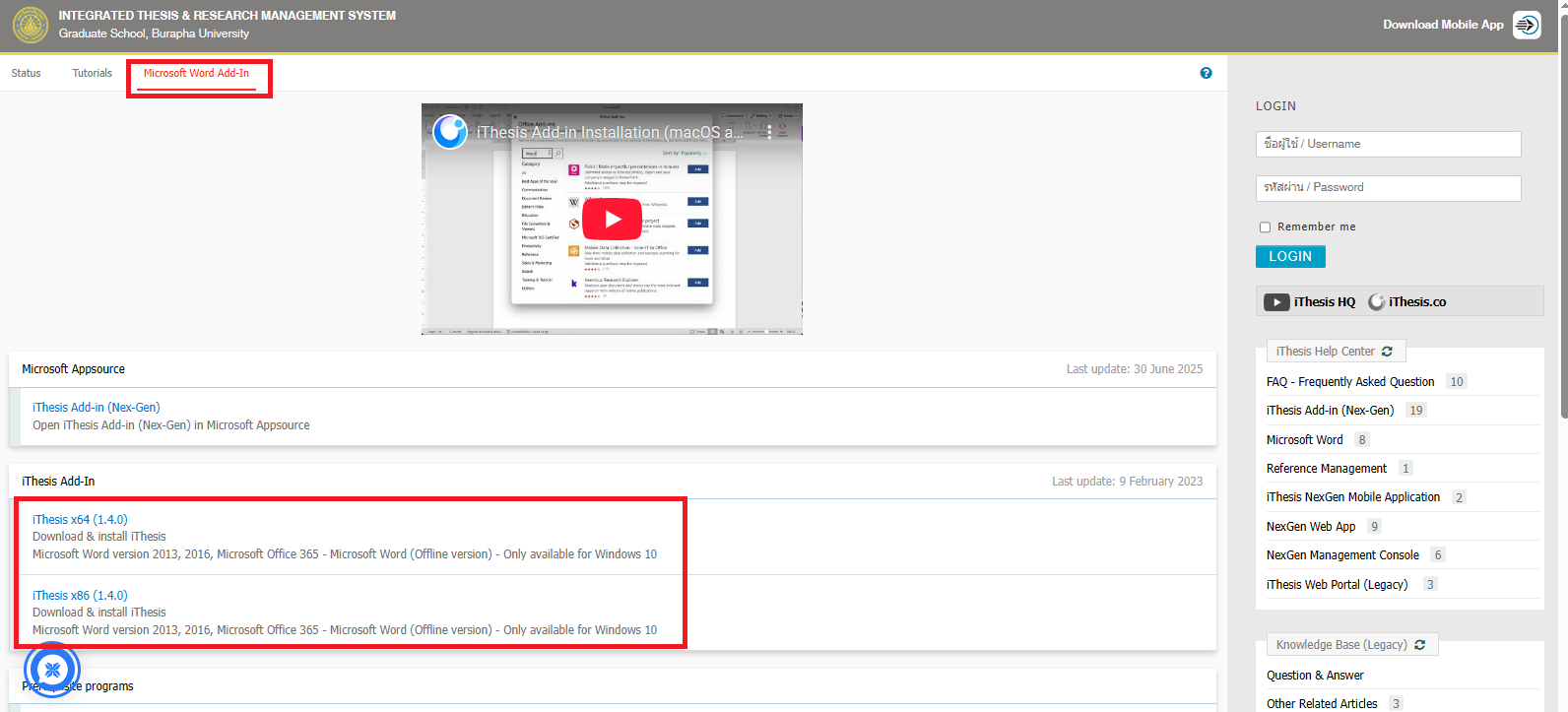
Go to the website https://ithesis.buu.ac.th, click on the Microsoft Word Add-In tab, then click iThesis x64 (1.4.0) or iThesis x86 (1.4.0) (for Windows 32-bit).
Double-click the file iThesis-Release20220329-[1.4.0]x64 to start the installation.
- Click Next
In the Select Installation Folder window, click Browse, select the Microsoft Office 15,16 folder (if present) and click OK.
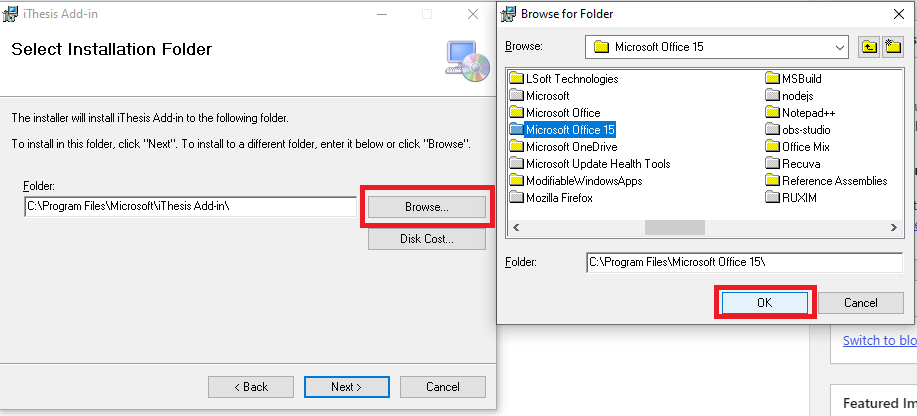
Then click Next twice to install the Microsoft Add-In.
Once the installation is complete, click Close.
Steps to Activate iThesis Version 1.4.0
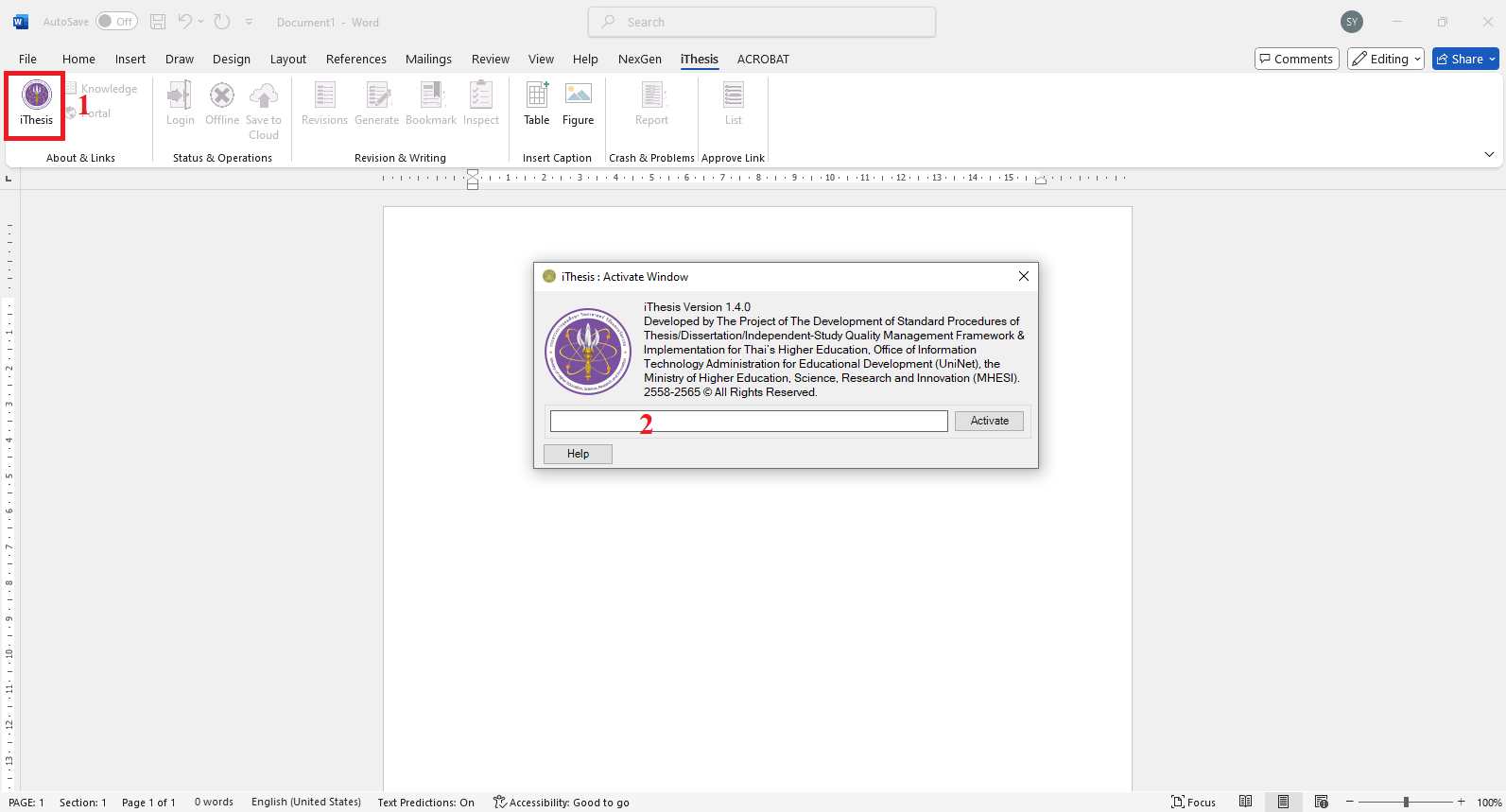
- Click the icon in the upper left corner.
- The Activate Window will appear.
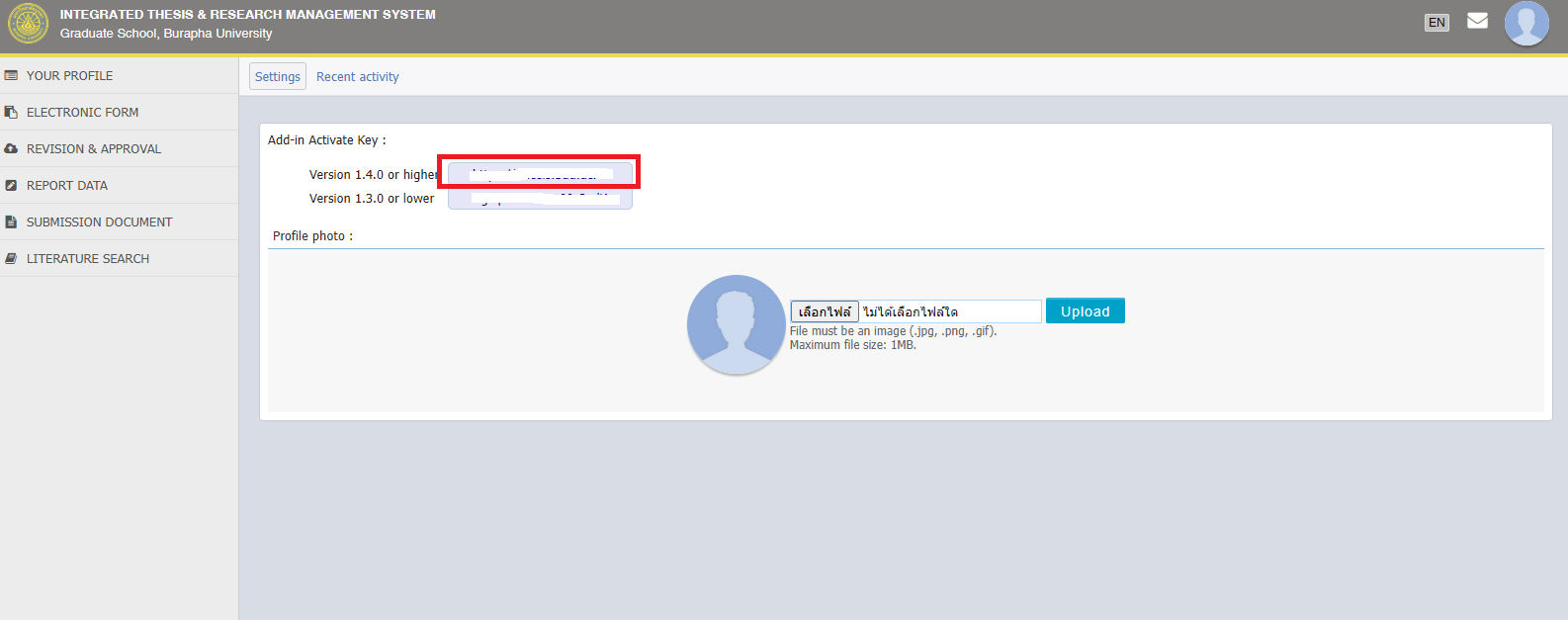
Go to https://ithesis.buu.ac.th Login to the system, click on the profile icon (top right corner), then select Settings.
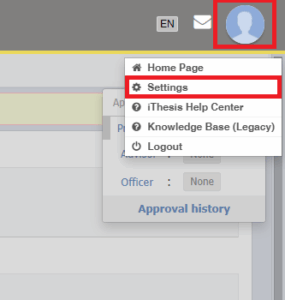
When you reach the Add-in Activate Key screen, copy the Activate Key and paste it into the Activate Window in Microsoft Word, then click Activate.